
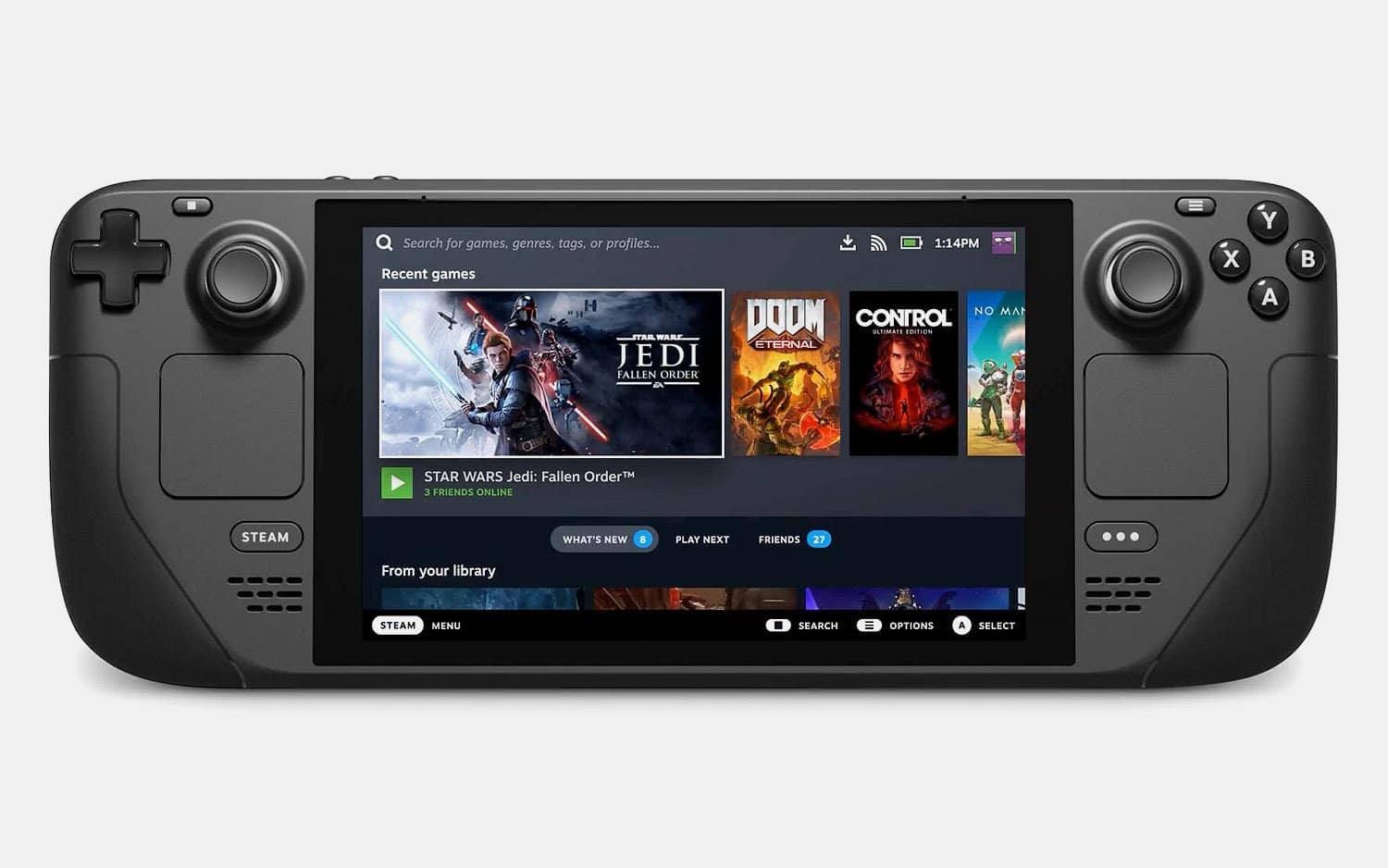
A handheld PC changes more than where you play. It changes what a readable menu looks like, how often a game should save, whether the default graphics settings can be trusted, and how much hassle you'll put up with before you press the power button and give up.
Developers are clearly paying attention. GDC's 2026 State of the Game Industry report found that 28% of surveyed developers were making or optimising games for Steam Deck. In its first year as a separate survey category, it ranked as the fourth most-developed-for platform. That's a lot of attention for a Linux handheld trying to run a PC library built over decades for big monitors, a mouse and keyboard, and a wall socket.
Here's how Steam Deck is changing PC game design, and why most of the changes make games better on a desk too.
What Steam Deck Verified actually checks
Valve's compatibility programme tests more than whether a game launches. Games are rated Verified, Playable, Unsupported or Unknown, and to be Verified a game needs:
- full controller support, with the right button prompts
- interface text that's readable on a 7-inch screen
- sensible default graphics settings
- no compatibility warnings (launchers, anti-cheat and so on)
Taken together, that's a design brief. A game with clear text hierarchy, predictable menu focus and complete controller navigation is also easier to use on a TV, a laptop or an accessibility controller. Handheld testing takes away the option of hiding weak interface design behind a mouse.
Interfaces built for a 27-inch monitor
PC interfaces have long assumed someone sitting close to a big screen with a precise pointer. That's how you get tiny inventory grids, hover-only tooltips, narrow scroll bars and settings screens that look like control panels.
On a handheld those habits show up immediately. Text that was fine at 27 inches becomes a squint. A button that's easy to click is miserable to reach with a d-pad. A menu that needs three precise pointer moves turns a thirty-second gear swap into a chore.
Fixing this is real work. Bigger fonts collide with localisation, bigger targets fit less information on screen, and controller focus order in a dense strategy game needs careful thought. But the problems are hard to ignore once you've tried the game on a Deck, and fixing them helps everyone.
Performance becomes part of the design
On a desktop, uneven performance gets absorbed by variable refresh monitors, a settings menu and players willing to tweak. On a handheld, the screen, battery, fans and controls all come as one package, so every technical decision affects the whole experience. An unstable frame rate is more visible, drains the battery faster and makes the fans louder.
So defaults need judgement. Resolution, frame rate, image quality, latency, noise and battery life pull in different directions, and the best preset is the one that lets someone start playing without reading a forum thread first, not necessarily the prettiest one. Studios that profile on modest hardware often find waste that expensive desktops were hiding, and cleaner frame pacing and fewer background processes help lower-end PCs too.
That has limits. Some games are built around huge simulations or dense interfaces, and squeezing all of them into one handheld target would flatten what makes PC gaming interesting. When a game doesn't fit the hardware, the honest move is to say so, not ship a bad preset.
Suspend and resume changes how sessions work
Portable play is full of interruptions. The train arrives, lunch ends, someone needs the TV. You press the power button and expect the game to pick up later without any fuss.
That's an operating system feature, but it has design consequences. Long gaps between saves feel riskier. Unskippable cutscenes are harder to fit into a ten-minute window. Launchers, online checks and anti-cheat make resuming less reliable. Clear autosave feedback, frequent checkpoints and a clean return to play make a game feel like it fits around your day.
It's probably part of why turn-based games, deckbuilders, farming games and visual novels feel so at home on the Deck. They aren't better on a small screen. Their rhythm just survives interruptions well. Valve's public chart of the most-played Steam Deck games shows how wide that mix is, with new releases sitting beside games that are far older than the hardware.
Compatibility is now something people shop by
PC stores have traditionally left compatibility to the buyer: compare system requirements, read the forums, hope the launcher behaves. The Verified badge turns some of that into a visible label. It isn't perfect. Games change after review, and "Playable" can mean anything from a harmless keyboard prompt to a genuinely awkward interface. But people now browse by it.
That changes incentives. Fixing text size, button prompts or default settings used to be a line in the patch notes. Now it can decide whether someone buys the game. And because Valve lets owners check their existing library's compatibility, a good Deck experience can give an older game a second life with people who already own it.
For small studios, that's both an opportunity and another demand on limited testing time. 28% is meaningful attention, not universal support.
What developers can take from it
None of the lessons are glamorous: make text readable, finish controller support, pick defaults carefully, save reliably, and test what happens when a session gets cut off. Most of it is the work that makes a game feel looked after. The Deck gave that work a badge on the store page.
The same game can also feel different once it leaves the desk. A big RPG might be a Saturday desktop game for one person and a nightly handheld routine for another. If you want to keep track of which of your games played well on the Deck, Perthro imports your Steam library and lets you note the platform on each review, so next time you're choosing something for a flight you'll know what worked.