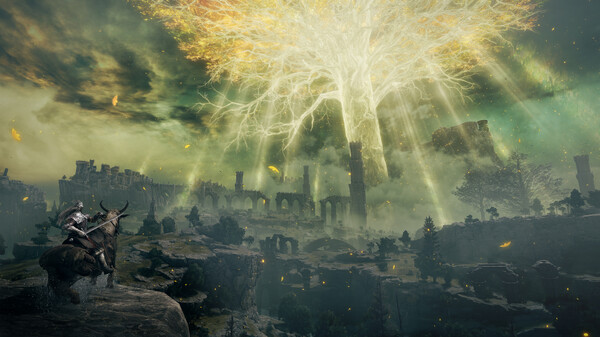

You've walked the same three rooms for forty minutes. The door won't open, nobody has anything new to say, and the fun left the session a while ago. Looking it up feels like giving in, and one careless search can show you the final boss in a thumbnail.
Using a walkthrough isn't cheating, and it doesn't have to spoil the game. The trick is to take the smallest amount of help that gets you moving again, from a source that won't show you more than you asked for. This guide covers when getting help is fine, a ladder of help from lightest to heaviest, and how to use a walkthrough without spoilers.
Is using a walkthrough cheating?
In a single-player game, no. Cheating means gaining an unfair edge over other people, and there's nobody on the other side of a puzzle in a solo game. The only thing at stake is your own experience, and you get to decide what that should feel like.
Getting help has always been part of playing games. In the 1980s Infocom sold InvisiClues hint booklets for its text adventures, with answers printed in invisible ink that you revealed one hint at a time. Magazines ran strategy pages. The playground did the rest.
There are good reasons to stay unaided: a puzzle game where solving is the whole point, or a mystery where working it out is the payoff. There are equally good reasons to look things up. You have an hour a week to play, you're stuck on a tedious backtrack, or you'd rather see the ending than drop the game. If being stuck is about to make you quit, getting help is the better choice every time.
The ladder of help: from a nudge to the full answer
Start at the top and only move down when the step above doesn't work.
- Step away. Put the controller down for ten minutes, or sleep on it. A lot of impossible puzzles get solved in the shower, because your brain finally stops retrying the same wrong idea.
- Use the game's own hints. Check the pause menu, the quest log and the codex, and reread the last few lines of dialogue. Some games build help in: Nintendo's Super Guide, introduced in New Super Mario Bros. Wii, offers to show you how to clear a level after you fail it enough times.
- Ask a friend who has played it. A friend can answer your exact question and nothing else. Tell them what you've tried and ask for a nudge, not the solution. If your gaming friends live far away, a group chat works fine; our guide to playing games with long-distance friends has ideas for keeping that going.
- Search one specific question. Phrase it narrowly and read only the answer to that question. More on this below.
- Use a hint site that reveals answers gradually. The Universal Hint System covers more than 500 games, mostly adventure and puzzle games. Each question opens into a series of hints that run from a subtle nudge to the full answer, so you stop the moment it clicks.
- Read a text walkthrough, one section at a time. Jump to the chapter you're in, read the paragraph you need, and close the tab.
- Watch a video, as a last resort. Video is the most spoiler-prone format there is, for reasons covered below.
Most of the time you'll never get past step three. That's the point of a ladder: you keep as much of the solving as possible for yourself.
How to use a walkthrough without spoilers
The risk usually isn't the answer you're looking for. It's everything around it. A few habits help:
- Search the place and the problem, not the game. "Game name how to open the gate in the flooded library" gets you one answer. "Game name walkthrough" gets you the whole game.
- Type the full question before you look at the screen. Autocomplete suggestions are built from what other people searched, which often means "ending explained" or "does (character) die."
- Stay on the text results. The video and image tabs are full of thumbnails, and thumbnails are designed to be dramatic. That usually means late-game bosses and plot twists.
- Don't scroll the comments. Forum replies drift, and one reply down is often someone discussing the ending. Reddit supports spoiler tags, but post titles aren't hidden and not everyone uses them.
- Avoid character pages on wikis. Fan wikis tend to put story spoilers in the opening lines and sidebars of character pages. Item and location pages are much safer.
- Close the tab as soon as you have your answer. Every extra minute on a guide page is a minute of reading about things you haven't reached yet.
Text guides vs video guides
Text guides are better for avoiding spoilers because you control what you see. Good ones have a table of contents, clear chapter headings and a search function, so you can go straight to the paragraph you need and skip the rest.
Video is harder to control. You can't skim it without seeing it, the sidebar recommends videos about later parts of the game, and autoplay will happily carry you into the next chapter. If a video is the only thing that explains a tricky platforming section or a boss pattern, use the chapter markers or timestamps in the description, jump to the exact moment, and close it when the section ends.
Missables, collectibles and 100% runs
Missable items change the rules. If a game locks a collectible, a side quest or an achievement behind a choice you can't undo, reading ahead can save you a second playthrough. That's a sensible reason to use a guide early.
You can still limit what you see:
- Look for a missables list, not a full walkthrough. Many guide writers publish short, story-light lists of what can be permanently missed and when.
- Check at chapter boundaries. Read the section for the chapter you're about to start, not the whole list.
- Be careful with trophy and achievement lists. Consoles hide the names of secret trophies for a reason, and full lists on guide sites often name bosses and story events.
- Consider a clean first run. If a game has chapter select or a post-game cleanup, play the story blind and hunt the missables afterward.
Note where you got stuck, for later
When you do look something up, write down what and where. "Stuck on the mirror puzzle in the tower, looked up the order" takes ten seconds.
It pays off later. You'll remember which parts you solved yourself, which makes it easier to rate the game fairly. You'll have a specific warning for friends who start it after you. And if you replay it years later, you'll know which puzzle to try on your own this time. A note on the game's log in Perthro works for this, and so does any notes app. Our guide to keeping a game journal has more on making notes like this a habit without it feeling like homework.
Getting unstuck: quick answers
Does using a guide ruin the game?
Only if you read more than you need. Looking up one puzzle rarely changes how a game feels. Reading a full walkthrough alongside your first playthrough usually does, because you stop exploring and start following instructions.
How do you get unstuck in a game without a guide?
Take a break, then go back to the last place something changed and look again. Reread recent dialogue, check your inventory for items you haven't used, and try interacting with anything that looks slightly out of place. Most stuck moments come from one missed detail, not a missing skill.
Should you avoid guides entirely on a first playthrough?
Not necessarily. If a game is frustrating you enough that you're thinking about dropping it, a small hint is the better trade. Finishing a game with two lookups beats leaving it at 60% forever, and our guide to playing your backlog without burning out makes the same case for keeping momentum.