
A gaming journal that remembers what you played
Perthro keeps a diary of the games you play: when you played them, how long for, on which platform, what you thought, and how it ended. Connect Steam, PlayStation or Xbox and your sessions arrive ready to log, so the journal mostly fills itself in. Years from now, it's the record of your gaming life you'll be glad you kept.

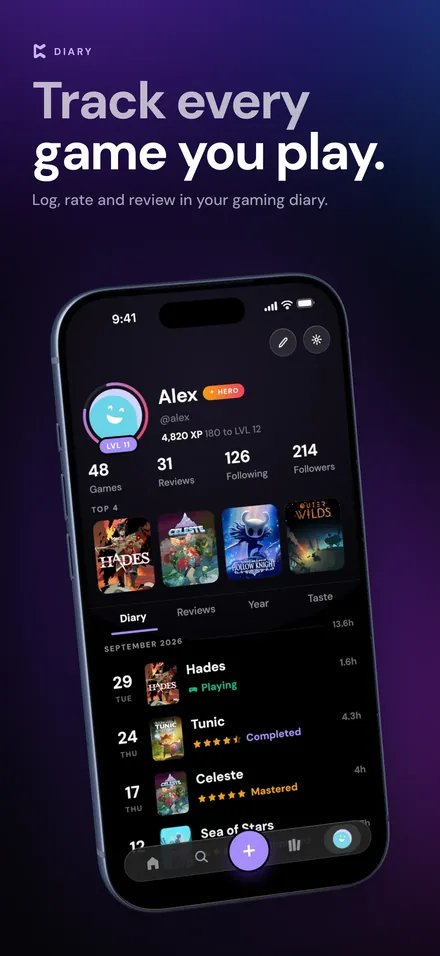
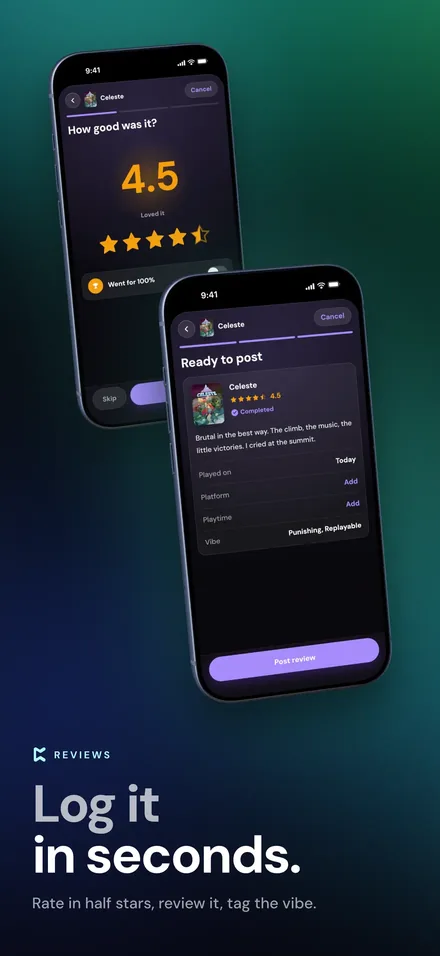
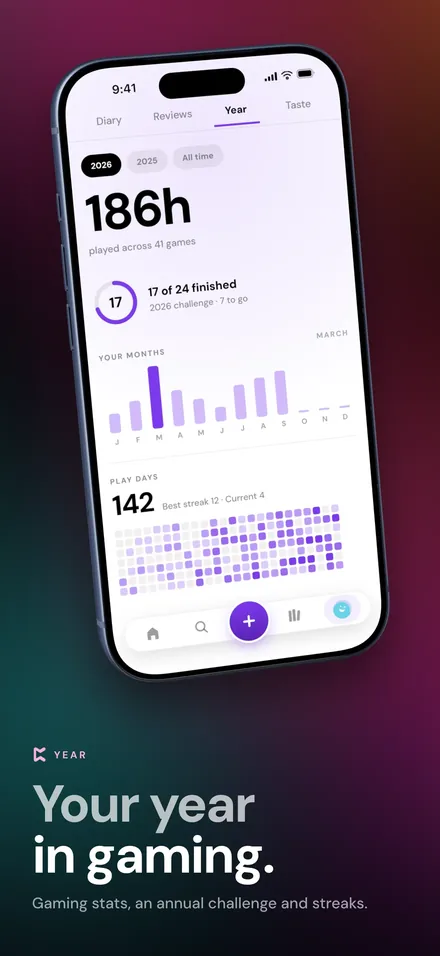
Why keep a gaming journal
Games are long, and memories fade fast. A month after the credits roll, most of us couldn't say when we started a game, how many hours it took, or what we loved about it. A gaming journal keeps that: a dated entry each time you play or finish something, with a rating and a line or two in your own words. It's a diary, not a to-do list, so there's no wrong way to use it.
What goes in each journal entry
| Entry detail | How Perthro records it |
|---|---|
| The game | Any game on any platform, from IGDB's catalogue. |
| When | The dates you played, kept in your profile's Diary tab. |
| Status | Playing, Completed, Mastered, Shelved or Abandoned. |
| Hours and platform | How long you played and what you played it on. |
| Rating | Five stars, with half steps. |
| Review | As short or long as you like, with comments from friends underneath. |
A journal that fills itself in
- Sessions arrive on their own. Connect Steam, PlayStation Network or Xbox Live and Perthro notices when you've played. You tap Log it and the entry arrives already filled in. Nothing is saved until you confirm it.
- Logging takes seconds. Tap +, find the game, and add a rating and status. Long-press + to quick-log a game you're playing right now.
- It works offline. Log on a plane or in the subway; the entry uploads the next time you're online.
Look back on your year in gaming
Every entry adds up. Perthro turns your journal into a year of gaming stats, with hours played, games finished, an annual challenge and play streaks, plus a histogram of every rating you've given. As you log, you earn XP, level up and collect a Collector's Card at every rank.
Your journal is yours. You can set your profile to Public, Followers only or Private, and you can export everything for free, as a CSV of your library or a full JSON download.
How to keep a journal without it becoming homework
The trick is to write less, more often: one sentence the night you finish a game beats a perfect review you never write. Our guide to keeping a game journal without homework has simple prompts, and how to rate games on a five-star scale that means something helps your ratings stay consistent over the years.
Gaming journal FAQ
What is a gaming journal?
A gaming journal is a diary of the video games you play: what you played, when, for how long, and what you thought of it. Perthro keeps it on your iPhone and fills much of it in for you.
Does Perthro log my play sessions automatically?
It catches them. Once you connect Steam, PlayStation Network or Xbox Live, Perthro queues the sessions it detects, and you confirm each one before it reaches your journal.
Can I keep my gaming journal private?
Yes. In Settings, set your profile visibility to Public, Followers only or Private. Your username and avatar stay findable so friends can find you.
Can I export my gaming journal?
Yes, for free. Export your library as a CSV, or download everything as JSON.
Is Perthro free?
Yes. Logging, rating, reviewing and your journal are free. Optional Pro and Hero plans remove ads and add extras such as widgets and a stats pack.
More about Perthro
- Game tracker app: everything Perthro tracks.
- Backlog tracker: keep your backlog honest and pick what to play.
- Steam, PlayStation and Xbox tracker: what each platform sync brings in.
Start your gaming journal tonight
Log the game you're playing right now. Perthro is free on the App Store for iPhone.