
A video game backlog tracker that helps you play it
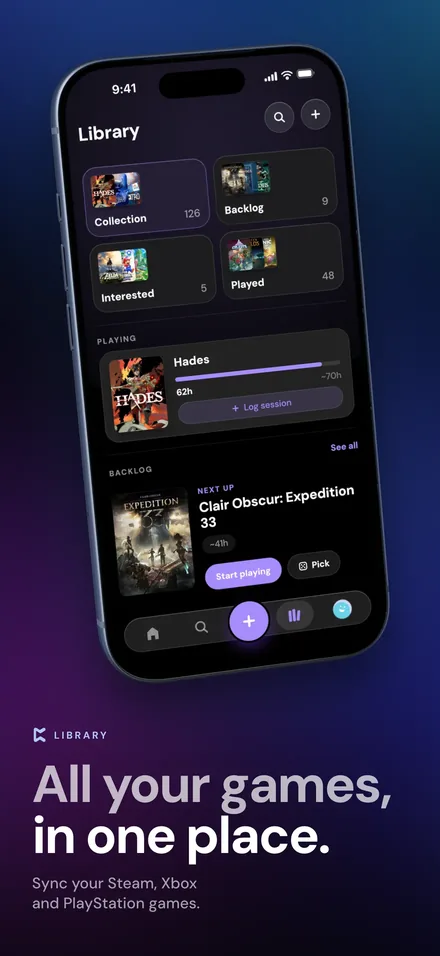
Most backlog trackers are lists that only get longer. Perthro keeps your backlog in one place, tells you honestly how deep it is, and helps you decide what to play tonight. Import what you own from Steam, PlayStation and Xbox, add everything else in a few taps, and let Pick for me spin for a game that fits the time you have.

What makes a good backlog tracker
A backlog is every game you own or want to play but haven't finished. Keeping it in your head doesn't work once it spans three storefronts and a shelf of physical games, and a plain list turns into a guilt pile. A good backlog tracker does three things: it gets everything in one place without hours of typing, it shows you the size of the problem, and it helps you pick something instead of scrolling.
How Perthro handles your backlog
- Import what you already own. Connect Steam, PlayStation or Xbox and your library comes in automatically, with verified ownership badges. Add Nintendo and physical games by searching and selecting as many as you like at once.
- Catch up on what you've already beaten. Mark what you've beaten lets you clear finished games out of your backlog in one pass, so it reflects what's actually left.
- Separate owning from wanting. Games you own go in your backlog. Games you're only watching go on your Interested list, and you can import your public Steam wishlist into it.
- See how deep it really is. Perthro estimates your backlog in hours and compares it with your 90-day play pace, so you know roughly when you'd clear it at the rate you're going. You can share that number, if you dare.
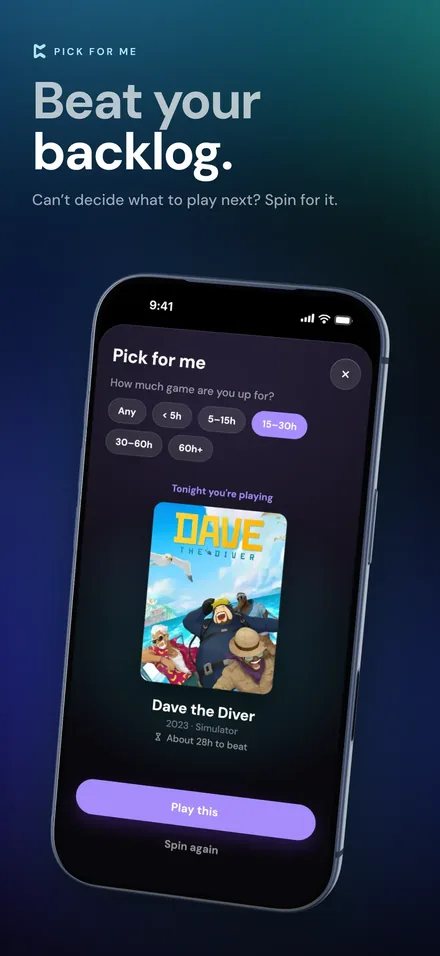
- Let it pick for you. Can't decide? Pick for me asks how much time you're up for, from short games to 60-hour epics, and spins for a game from your backlog that fits.
Backlog statuses in Perthro
| Status | What it means |
|---|---|
| Backlog | You own it and haven't started or finished it. |
| Interested | You don't own it yet, but you want to keep an eye on it. |
| Playing | It's on the go right now, and it shows on your profile. |
| Completed | You finished it. |
| Mastered | You finished it and then some. |
| Shelved | You've paused it on purpose and plan to come back. |
| Abandoned | You've moved on, and that's fine. |
Keep your backlog from growing
Tracking helps most when it changes what you buy and what you start. The guide to when to stop playing a game covers the Shelved and Abandoned side of things, and our post on picking Steam sale games without making your backlog worse covers the buying side. If you have a big release coming, here's how to clear your backlog before GTA 6.
And when you do finish something, log it: a rating, a few words and the hours you put in. Perthro's gaming journal keeps that record, so your backlog shrinks and your history grows.
Backlog tracker FAQ
What is a video game backlog?
Your backlog is the list of games you own or want to play but haven't finished yet. Most players have one, especially after sales and subscription catalogues.
How do I import my backlog into Perthro?
Connect Steam, PlayStation or Xbox to import your library automatically. You can also import a CSV from another tracker or a Steam export tool, and add Nintendo or physical games by searching for them.
Can Perthro choose what I should play next?
Yes. Pick for me asks how much time you have, from short games to 60-hour-plus epics, and spins for a game from your backlog that fits.
Is the backlog tracker free?
Yes. Tracking your backlog, importing your library and Pick for me are free. Perthro Pro adds advanced backlog filters.
Can I track games I want but don't own?
Yes. Put them on your Interested list. With Steam connected, you can import your public Steam wishlist too.
More about Perthro
- Game tracker app: everything Perthro tracks.
- Gaming journal: a diary of every game you play.
- Steam, PlayStation and Xbox tracker: what each platform sync brings in.
Start clearing your backlog tonight
Import your library, let Pick for me choose, and log what you finish. Free on the App Store for iPhone.